 11
11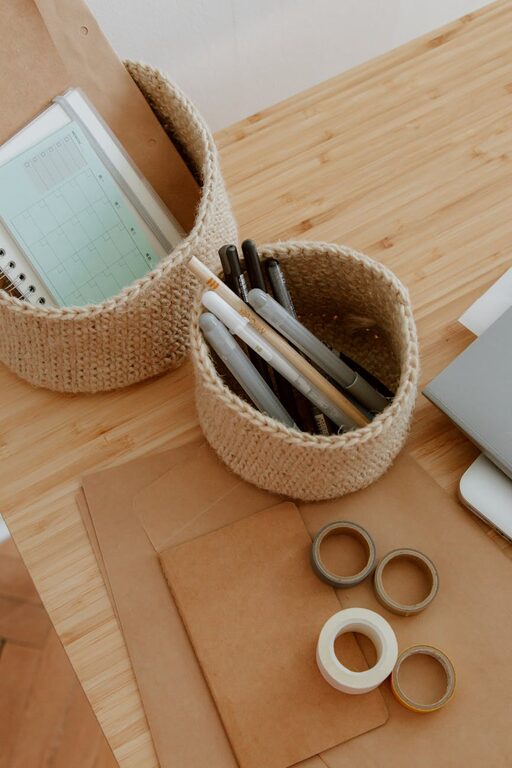
Creating a clutter-free home office is essential for maintaining focus and productivity while working from home. An organized workspace not only looks inviting but also helps reduce stress and distractions. Whether you have a dedicated room or just a small corner, these tips will guide you in setting up a tidy, efficient home office.
A neat workspace supports clear thinking and efficient work habits. When items are scattered or piled up, it can be harder to find what you need, leading to wasted time and frustration. An organized office helps create a professional atmosphere and sets boundaries between work and personal life.
Before organizing, take everything out of your workspace. This allows you to:
– Assess what you really use and need
– Clean surfaces like desks and shelves
– Make decisions on what to keep, donate, or discard
Be honest about items that add clutter but don’t contribute to productivity.
Group your office materials into categories such as:
– Paperwork
– Electronics and accessories (chargers, headphones)
– Office supplies (pens, notebooks, staplers)
– Personal items (photos, decor)
Use labeled bins or folders to keep each category together.
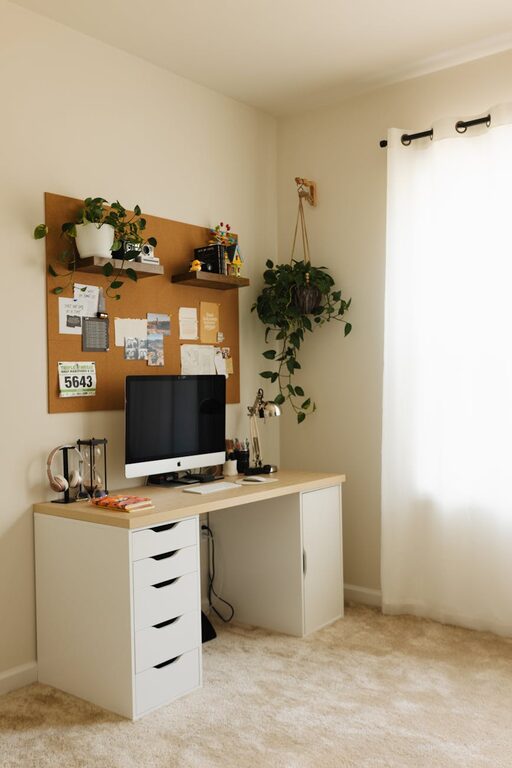
Select a desk with enough surface area for your essential tools like a computer, lamp, and notepad. Consider desks with built-in drawers or shelves for easy storage.
Organizers help keep small items tidy. Options include:
– Pen holders
– Drawer dividers
– Paper trays
– Cable organizers
These prevent items from spreading out and keep your desk clutter-free.
When floor and desk space is limited, think vertical.
– Install shelves above your desk for books, files, or decor.
– Use wall-mounted file holders or bulletin boards to keep important documents visible and off your desk.
– Invest in storage boxes or filing cabinets that tuck under the desk or fit in corners.
Keep frequently used items within reach, and store less-used materials elsewhere.
Paper is often the biggest source of clutter. To manage it:
– Go digital where possible by scanning documents and saving electronic copies.
– Use a filing system with clearly labeled folders for active projects, reference materials, and bills.
– Sort incoming mail immediately—file, respond, or recycle to avoid pile-ups.
Consider a weekly review to keep paperwork under control.
Cables and chargers can create a messy look and get tangled.
– Use cable clips or ties to bundle cords neatly.
– Label cables to identify them quickly.
– Consider wireless devices when possible to reduce cable numbers.
– Hide power strips behind furniture or under your desk.
A tidy electronic setup improves visual appeal and safety.
Adding a few personal touches like photos, plants, or artwork can make your workspace more enjoyable. However, avoid overcrowding your space with too many decorative items. Give yourself enough clear space to think and work comfortably.
Organization is an ongoing process. Try these habits to keep your office clutter-free:
– Spend 5–10 minutes at the end of each day tidying your desk.
– Return items to their designated spots after use.
– Regularly review your filing system and discard outdated materials.
– Avoid bringing unnecessary items into the office area.
Consistent upkeep prevents clutter from building back.
A clutter-free home office can greatly enhance productivity, reduce stress, and create a pleasant work environment. With thoughtful organization, smart storage solutions, and daily maintenance, you can enjoy a workspace that supports your best work every day. Start with these tips and adjust them to fit your space and needs for a truly personalized, efficient office setup.